


Authentication and permissions
integration secret key ──> POST /v1/auth/login ──> access_token + refresh_token │ POST /v2/auth/refresh <─────────┘ when expired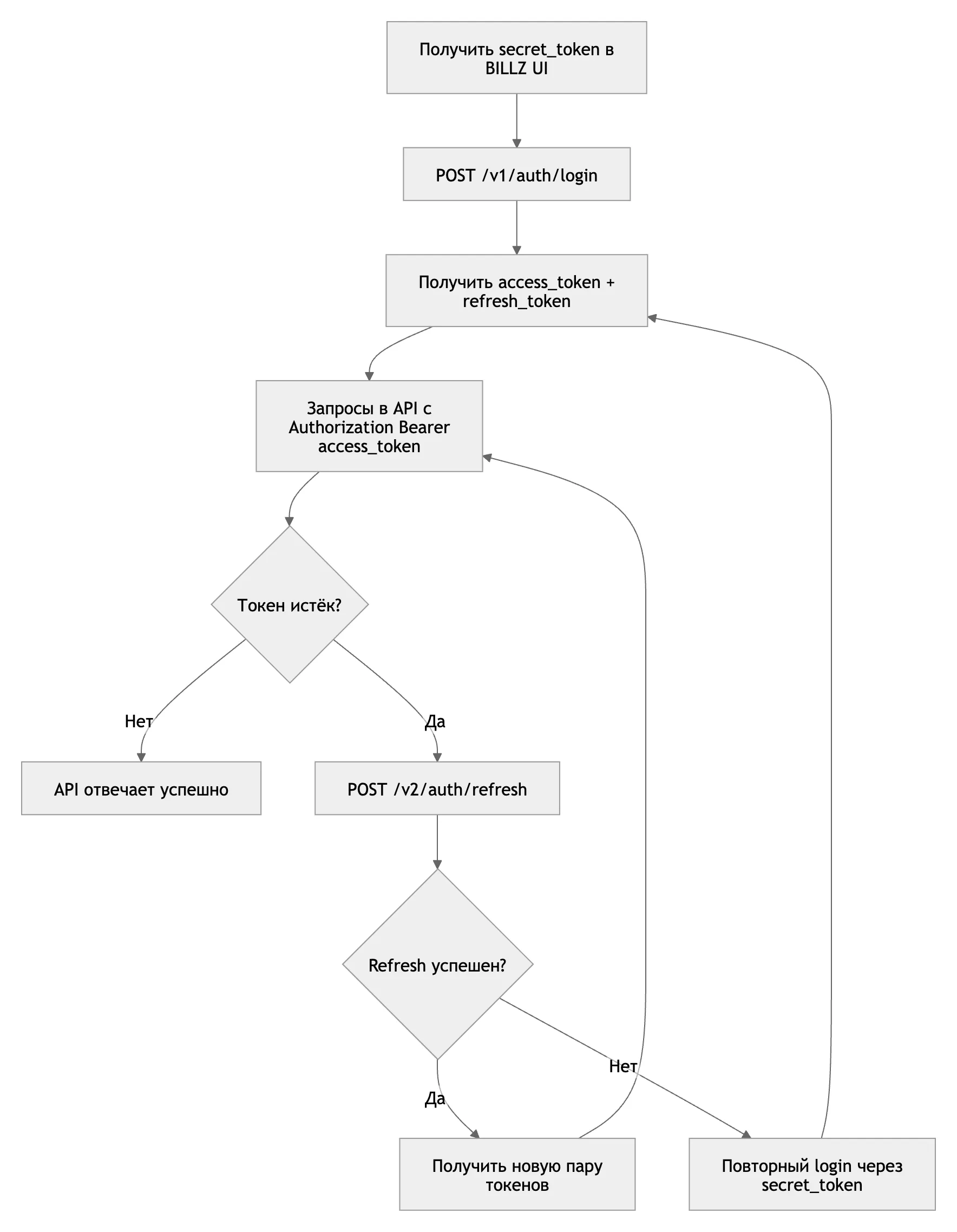
Of the methods in this documentation, only these two work without a token. All other requests are sent with the header:
Authorization: Bearer <access_token>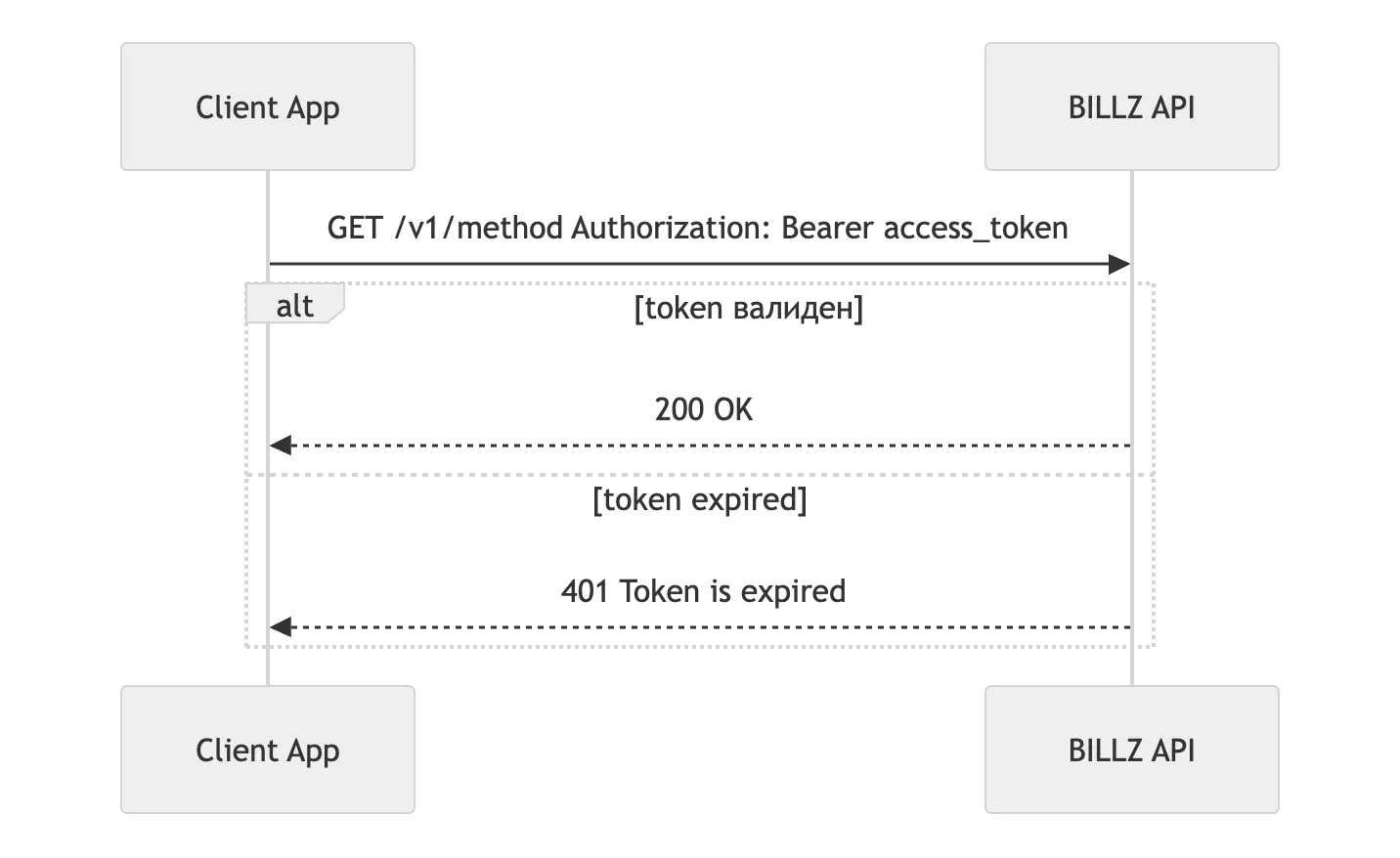
Token lifetime
Section titled “Token lifetime”For sign-in with the secret key the lifetimes are set in code and do not depend on company settings:
| Token | Lifetime | In the login response |
|---|---|---|
access_token |
15 days | expires_in: 1296000 (seconds) |
refresh_token |
30 days | returned in the refresh_token field; it has no expires_in of its own |
Token refresh
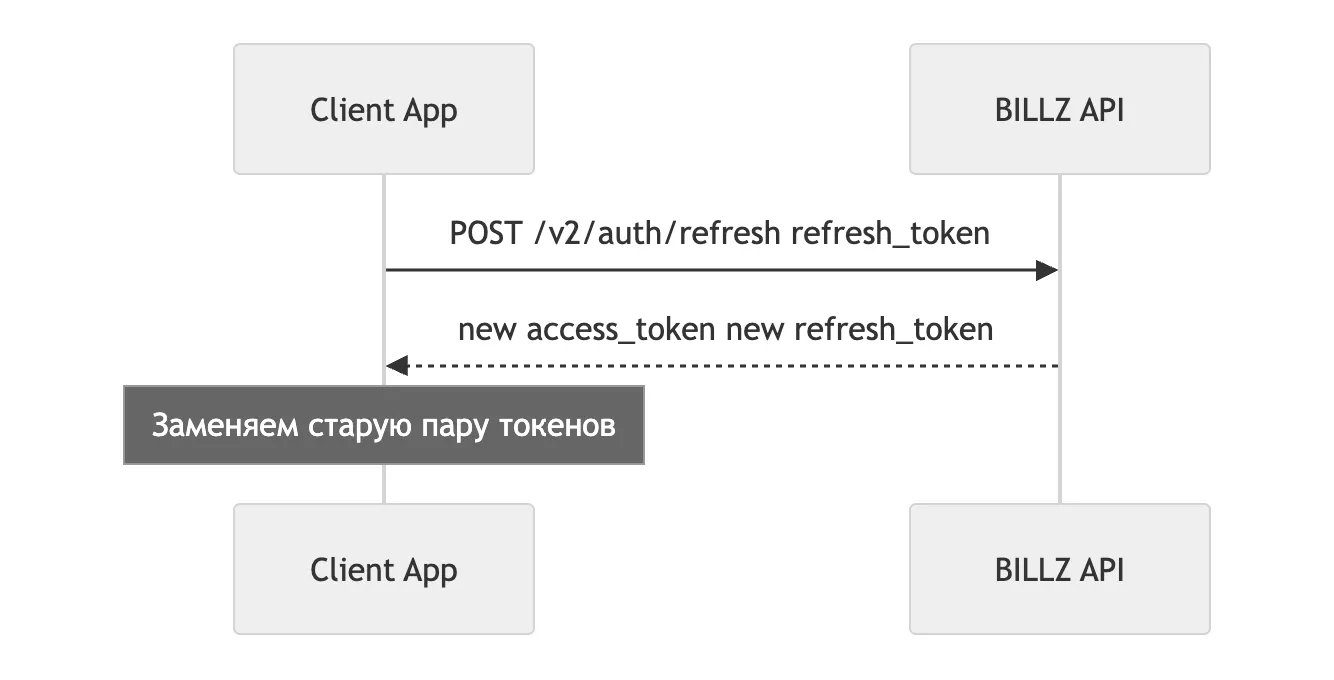
Section titled “Token refresh”curl -X POST 'https://api-admin.billz.ai/v2/auth/refresh' \ -H 'Content-Type: application/json' \ -H 'platform-id: 7d4a4c38-dd84-4902-b744-0488b80a4c01' \ -d '{ "refresh_token": "..." }'The response contains a new pair of tokens with the expires_in and refresh_expires_in fields.
The old refresh token can no longer be used.
Refresh errors come with code 400 (RFC 6749 §5.2): 401 from a regular method means
an expired access token, 400 from the refresh means an unusable refresh token.
The error field carries the standard code: invalid_request, invalid_grant, unauthorized_client;
an internal failure is 500 with server_error.
Permissions
Section titled “Permissions”Key access is built from two independent levels.
Level 1 — route. The pair “HTTP method + route template” must be present in the fixed list of routes, which is the same for all companies. The full list: what an integration key can do.
Level 2 — role permission. The key has its own role. Its access switches are checked while an allowed request is executed and decide what the response contains and whether the operation goes through: key role permissions.
The route template (/v2/transfer/:id/add) and the HTTP verb are compared: PUT where
PATCH is registered does not pass; ID values do not affect the check.
Permissions are cached for 20 minutes; changing the role resets the cache.
What the response codes mean
Section titled “What the response codes mean”The error body is usually {"code": ..., "message": ..., "error": ..., "data": null}.
The cause is distinguished by the message + error pair:
| Code | message / error |
What happened |
|---|---|---|
401 |
token error |
the token cannot be parsed: truncated, corrupted, foreign signature |
401 |
token expired / token has been expired |
expired — a refresh is required |
401 |
unauthorized / refresh token used as access |
a refresh token was put in Authorization |
401 |
unauthorized / session not found, session revoked |
the session is closed or revoked — a new login is required |
401 |
unauthorized / mismatch platform-id with token info |
platform-id differs from the one the token was issued with |
401 |
unauthorized / user is not active, user has been expired |
the key is disabled or has expired |
403 |
forbidden / access denied |
the route is not in the list available to the key |
403 |
blocked / company is blocked |
the whole company is blocked |
These cases are covered in 403 and 404.
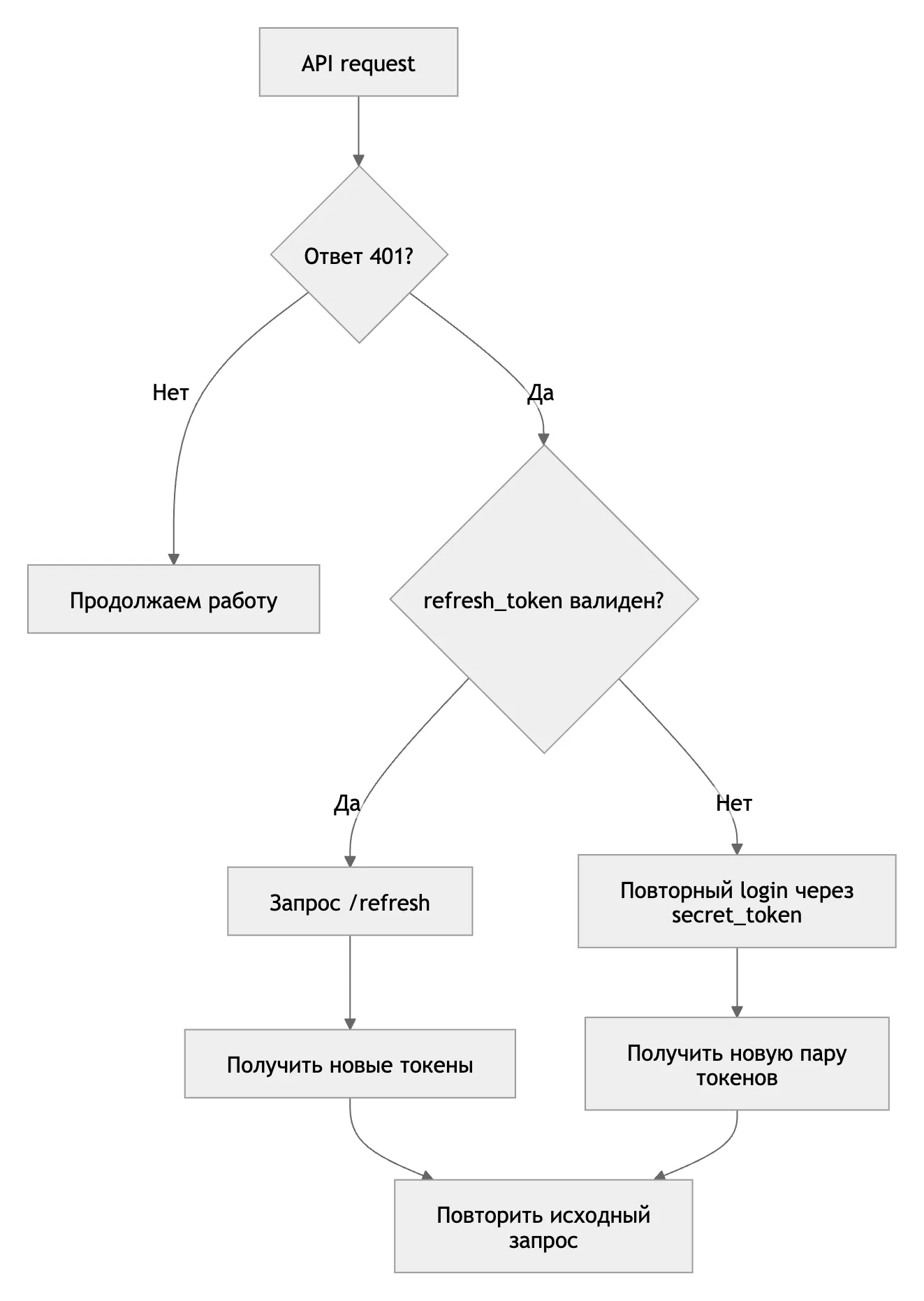
Client procedure on 401: refresh the pair while the refresh token is valid, otherwise sign in
again with the secret key, then repeat the original request.
Best practices
Section titled “Best practices”- Store the secret key in secure storage.
- Refresh
access_tokenbefore it expires. - Perform the refresh from a single place.
- Create a separate key for each integration.