


1. Integration key
An integration key is a long-lived secret that is exchanged for a short-lived access token.
Create a key
Section titled “Create a key”-
Open Settings → Company.
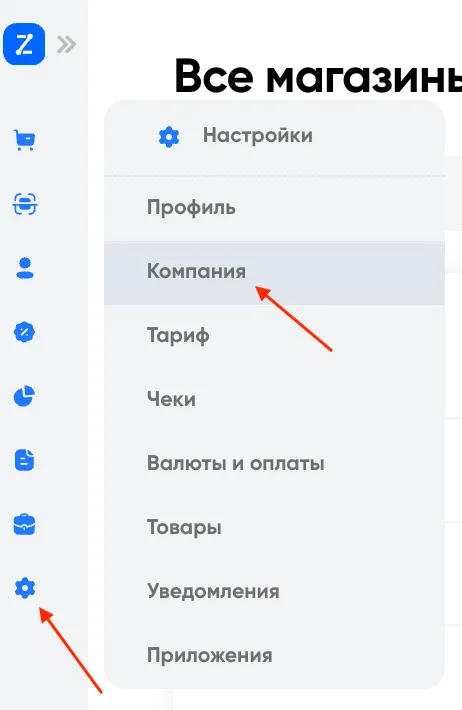
-
Go to the Integration keys section.
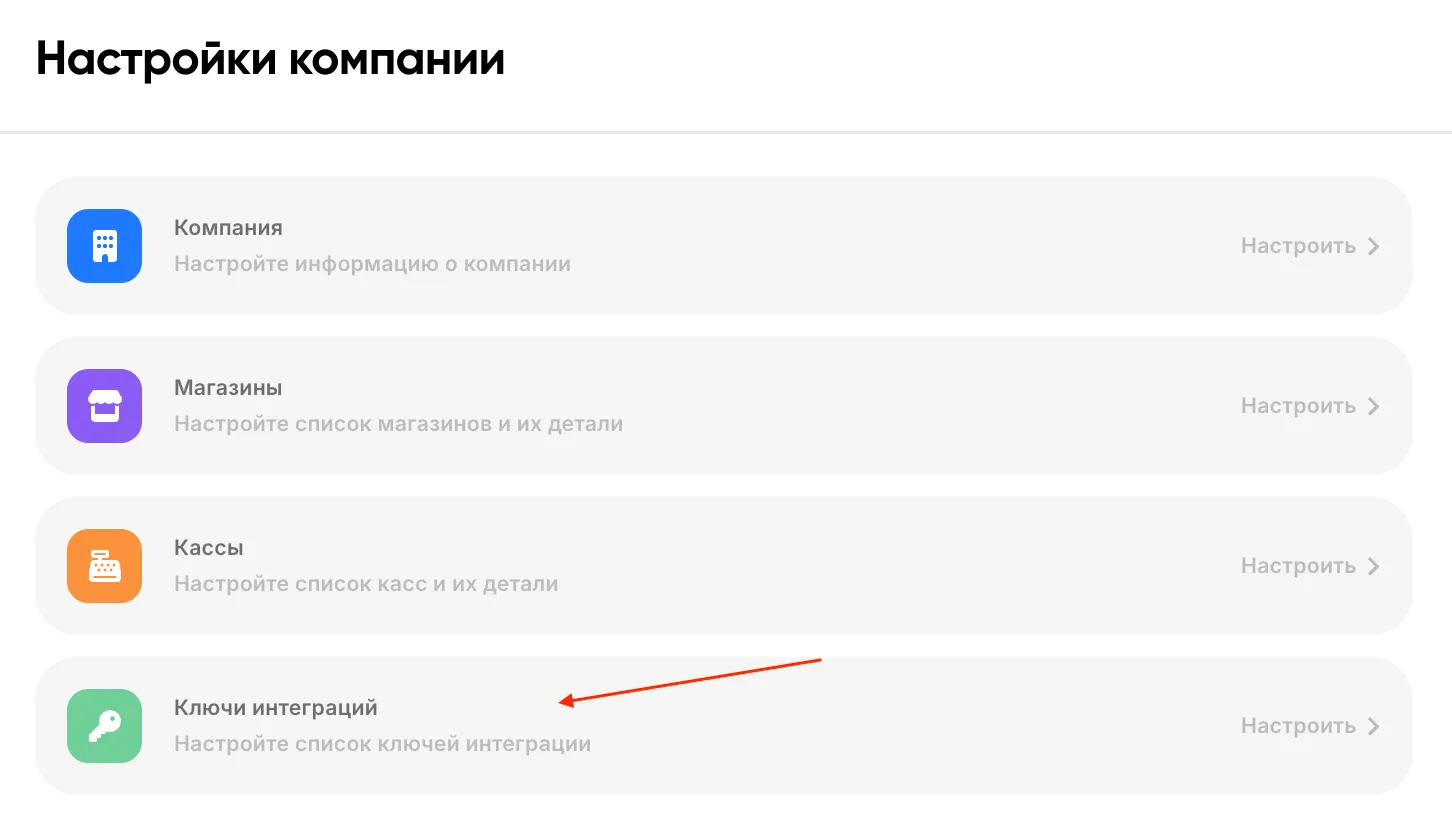
-
Click New key and enter a name — for example,
online-storeor1C exchange.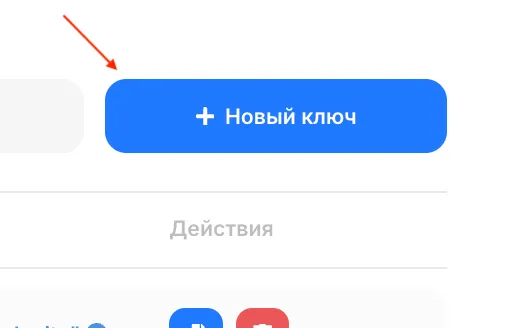
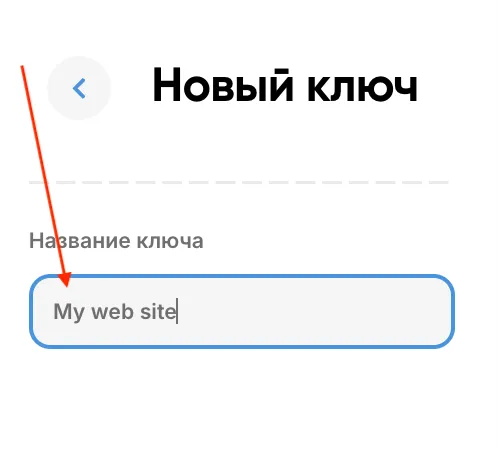
-
Copy the key from the list.
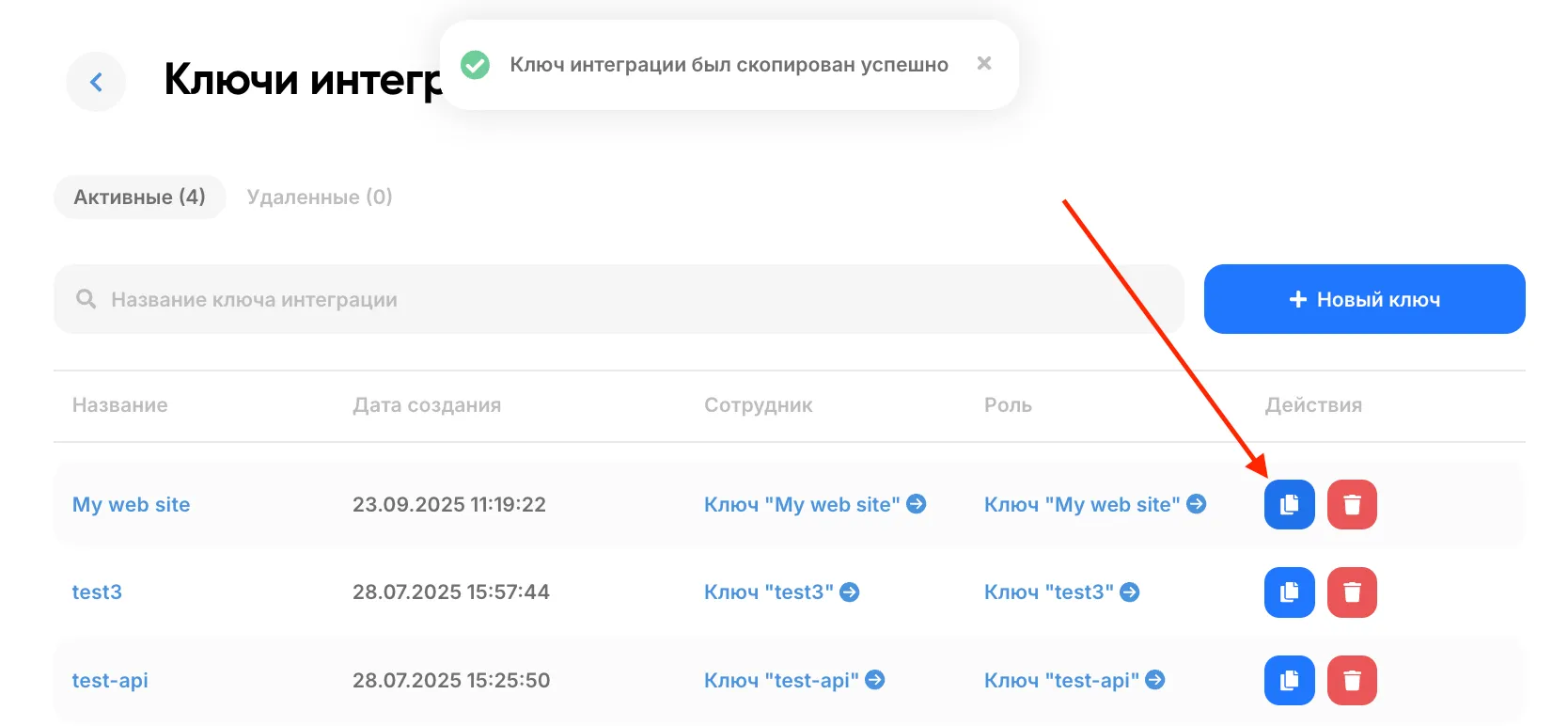
Together with the key, its role is created — it already includes two permissions: “View and search products in the catalog” and “Ability to view the customer list”.
Which methods are available to the key — see the list of routes; what
each role access toggle changes — see key role permissions. If a method responded
with 403, see understanding 403 and 404.
Next: first request.