


Key role permissions
Every integration key has its own role — it is created together with the key and is visible in the company settings. Its access toggles change what is returned in the response and which operations succeed within the allowed routes.
Two levels of access
Section titled “Two levels of access”A key’s request passes two independent checks.
| Level 1 — route | Level 2 — role permission | |
|---|---|---|
| Where it is checked | at the entry point, before the method runs | inside the method that handles the request |
| What it checks | the “HTTP method + path template” pair is in the key’s route list | a specific access toggle in the key’s role |
| Source of the list | a shared template, the same for all companies | the key’s role, edited in the interface |
| If it fails | 403 access denied |
the field is zeroed, the filter is reset, or the business rule refuses |
What is enabled out of the box
Section titled “What is enabled out of the box”On key creation its role receives exactly two permissions:
| Section → group | Permission |
|---|---|
| Products → Catalog | View and search products in the catalog |
| Customers → All customers | Ability to view the customer list |
Catalog and customers are in the key’s route list; these two toggles do not affect responses. All the others are off — because of this, some methods do not work fully.
Map: access toggle → method → what happens without it
Section titled “Map: access toggle → method → what happens without it”Below are all the places where a role permission changes the behavior of a method available to the key.
| Section → group | Permission | Key method | What happens without the permission |
|---|---|---|---|
| Products → Catalog | Ability to view product supply prices | GET /v2/products |
in every product supply_price = 0, supply_currency = "" — both at the root and inside shop_prices |
| Products → Catalog | Ability to view product supply prices | POST /v2/product-search-with-filters |
the supply price filter is silently reset: supply_price_from / supply_price_to are zeroed, the selection comes back unfiltered |
| Products → Catalog | Ability to view the stock of all shops | POST /v2/product-search-with-filters |
shop_ids from the request is ignored — the selection covers only the shops bound to the key |
| Products → Transfer | Ability to create transfers | POST /v2/transfer |
the request is accepted, but the draft is not created: asynchronous refusal 403, user has no permission to create transfer, code 2007 |
| Products → Orders | Ability to return an order | POST /v2/supplier-order with returned_supplier_order_id |
a regular order is created, a return is not: asynchronous refusal 400, user has no permission to return supplier order, code 2029 |
| Sales → New sale | Ability to delete held sales | DELETE /v2/order/:id, if the sale is held |
asynchronous refusal 400, no permission to delete parked order, code 20116; regular sales are deleted as before |
How to grant a permission
Section titled “How to grant a permission”-
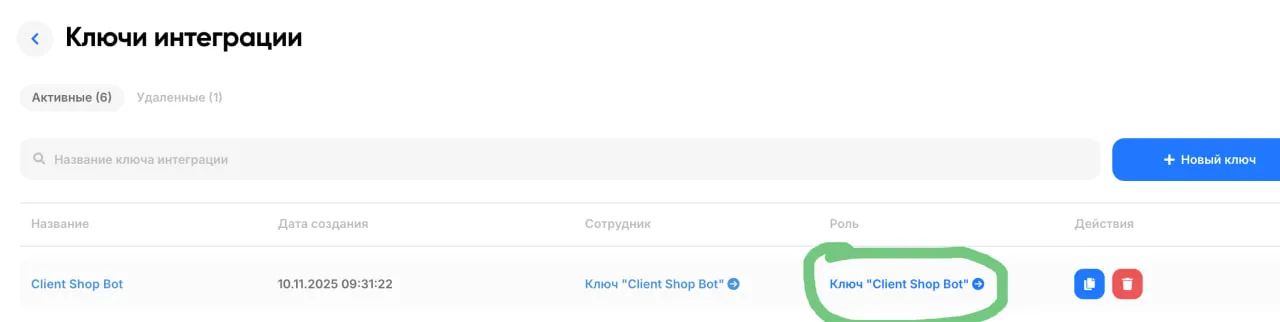
Settings → Company settings → Integration keys.
-
Open the role of the required key.
-
Check the required actions in the required section and save.
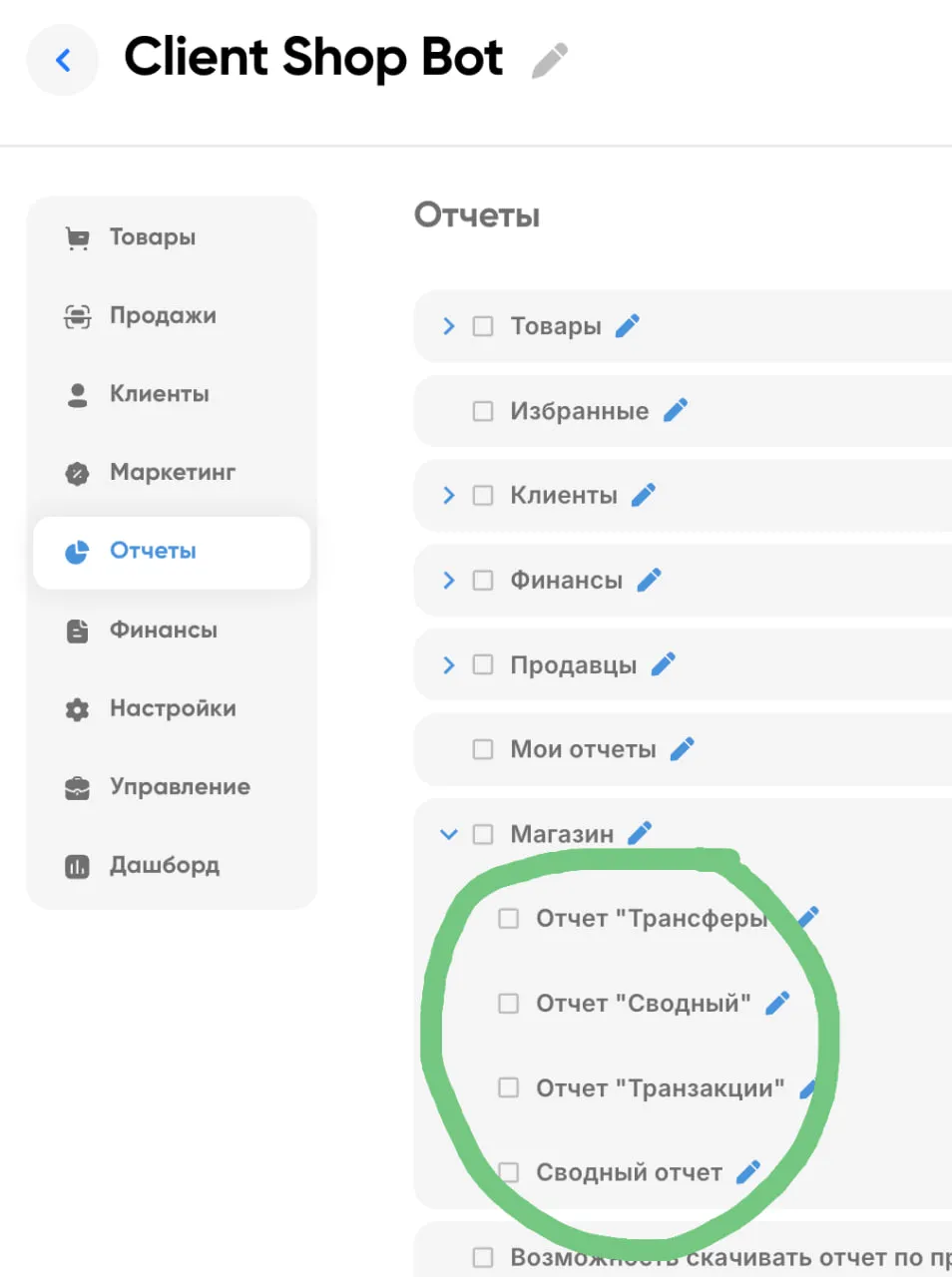
Permissions are cached for 20 minutes; changing the role clears the cache.
Further reading
Section titled “Further reading”- What an integration key can do — the full list of routes, level 1
- 403 and 404 — analysis of refusals
- Authentication and permissions — how the access model works as a whole