


2. First request
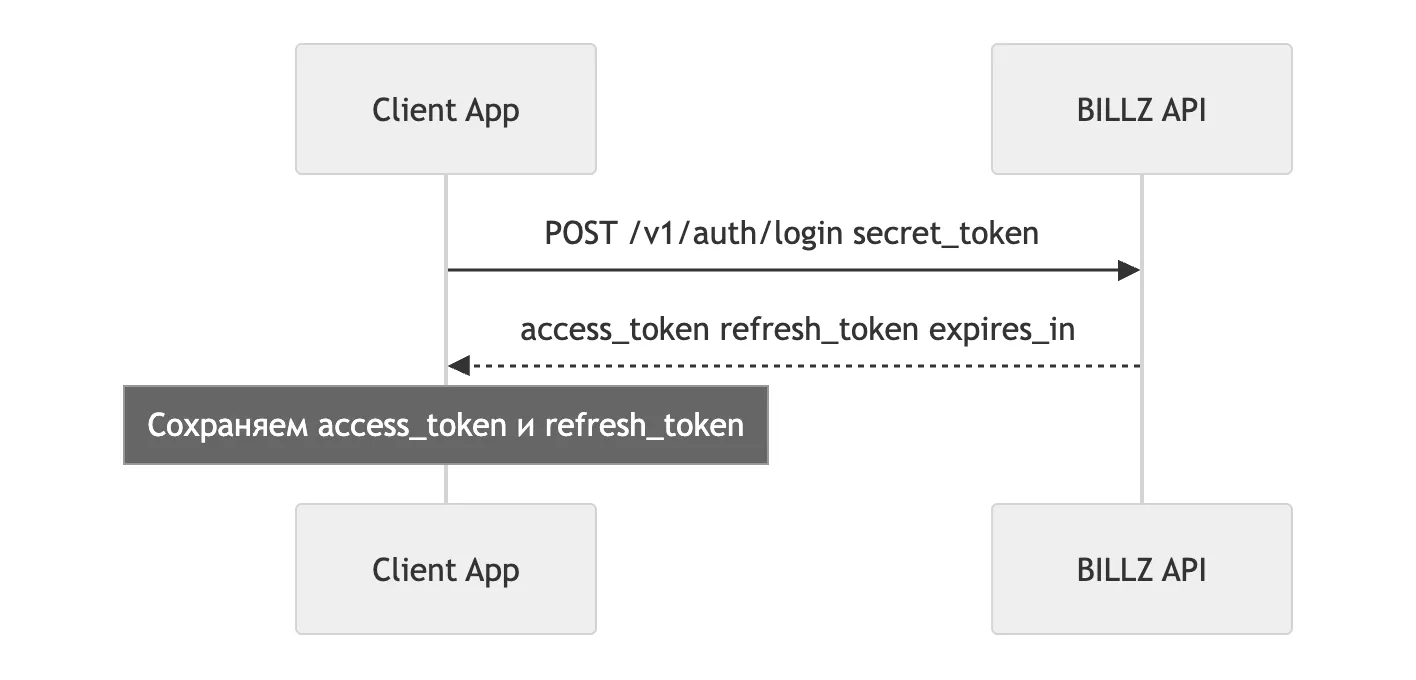
Get an access token
Section titled “Get an access token”curl -X POST 'https://api-admin.billz.ai/v1/auth/login' \ -H 'Content-Type: application/json' \ -d '{"secret_token": "SECRET_KEY"}'Response:
{ "code": 200, "message": "ok", "error": null, "data": { "access_token": "eyJhbGciOi...", "refresh_token": "eyJhbGciOi...", "token_type": "Bearer", "expires_in": 1296000 }}expires_in is in seconds: for sign-in with a key it is 15 days. Along with it,
refresh_token is stored (lifetime — 30 days): it is used to refresh the token pair without
using the secret key.
Read the catalog
Section titled “Read the catalog”curl -X GET 'https://api-admin.billz.ai/v2/products?limit=5&search=Nike' \ -H 'Authorization: Bearer ACCESS_TOKEN'The response is an object with two fields:
{ "count": 134, "products": [ { "id": "00000000-0000-0000-0000-000000000000", "name": "Air Jordan 1 High", "barcode": "978020137962", "sku": "THY-1232", "shop_measurement_values": [ { "shop_id": "...", "shop_name": "Nike Store", "active_measurement_value": 5 } ], "shop_prices": [ { "shop_id": "...", "shop_name": "Nike Store", "retail_price": 1000000, "retail_currency": "UZS", "supply_price": 600000, "supply_currency": "UZS", "promo_price": 0, "promos": [] } ] } ]}Stock and prices are returned per shop.
Useful parameters
Section titled “Useful parameters”| Parameter | Meaning |
|---|---|
limit, page |
pagination; 100 records per page by default |
search |
search string; substring, case-insensitive. By default searches by name, SKU, barcode and description |
The remaining catalog parameters — filters by dates, shops and search fields — are covered in catalog synchronization.
Next: first sale.